Scientific Calculators · Texas Instruments
Texas Instruments TI-34 MultiView Scientific Calculator
In stock · SKU PDS-0013
- Blue, White, Yellow
Blue, white, yellow. Supplied by Texas Instruments.
- Packed in Bronx in 1–2 business days, then 3–7 business days with the carrier.
- $3.99 flat US shipping, free once the order reaches $25.00. US addresses only.
- 30 days from the date of delivery returns on unused items in the original packaging. Refund and Returns Policy
- Secure checkout — Visa, Mastercard, WeChat Pay, Klarna, Afterpay, PayPal.
Specifications
| Colour | Blue, White, Yellow |
|---|---|
| Category | Scientific Calculators |
| Brand | Texas Instruments |
| SKU | PDS-0013 |
Digit counts, functions and power sources are the maker's published figures.
Description
Overview
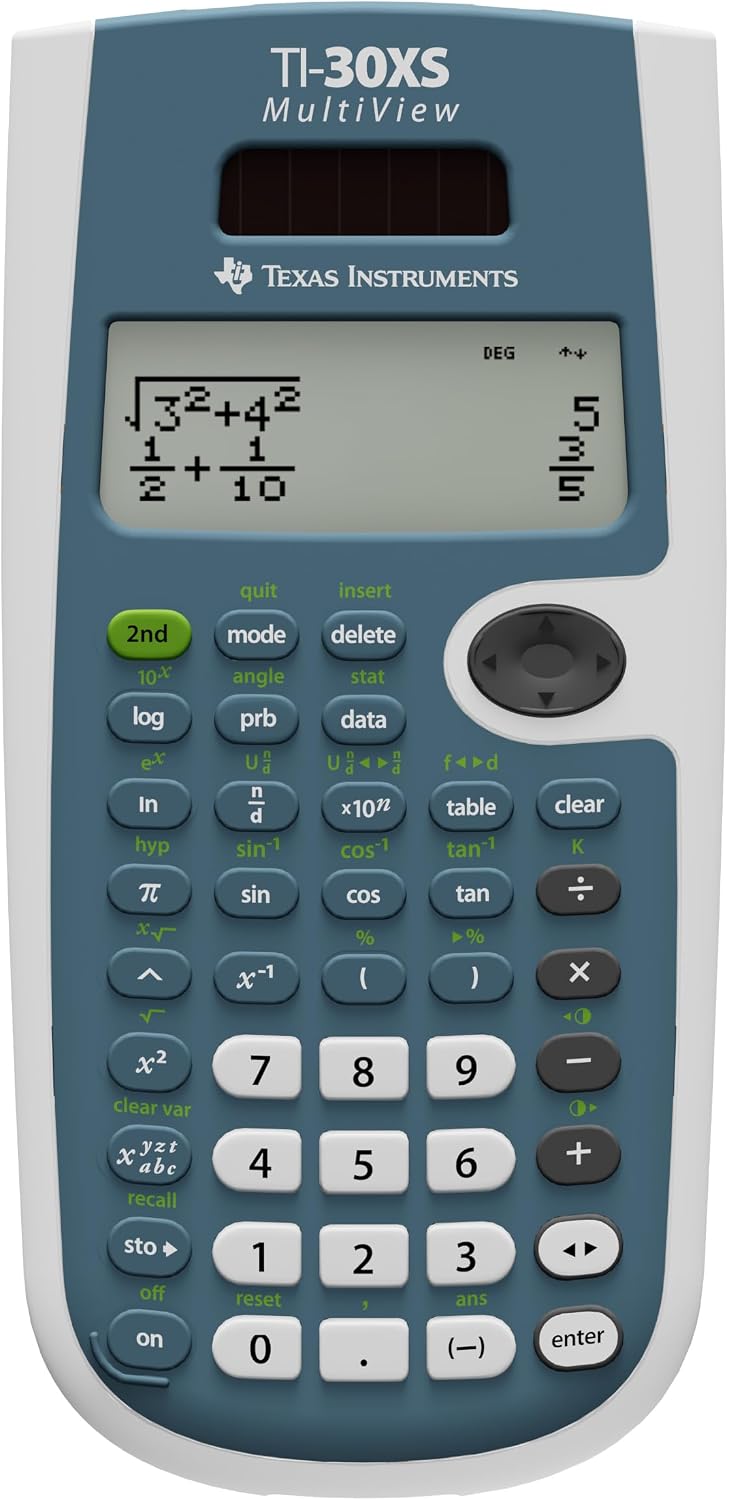
The Texas Instruments TI-34 MultiView Scientific Calculator is an indispensable tool for students and professionals alike, designed to simplify complex mathematical and scientific computations. This advanced calculator boasts a unique MultiView display, allowing users to see multiple calculations on the screen simultaneously, which significantly enhances problem-solving efficiency and comprehension.
Its robust set of features makes it ideal for a wide range of subjects, from basic arithmetic to advanced calculus, algebra, and statistics. The intuitive interface and thoughtfully arranged buttons ensure that even intricate functions are easily accessible, promoting a smoother learning and working experience.
Whether you’re tackling fractions, exponents, or statistical analysis, the TI-34 MultiView provides precise results with unparalleled ease. This calculator is not just a device for calculations; it’s a companion for academic excellence and professional precision, engineered by Texas Instruments, a leader in educational technology.
Its sleek design and durable construction mean it’s built to withstand the rigors of daily use, making it a smart investment for anyone needing reliable computational power at their fingertips. The Texas Instruments TI-34 MultiView Scientific Calculator is truly a game-changer in the realm of educational and professional tools, offering a blend of power, clarity, and user-friendliness that is hard to match.
The calculator’s ability to display calculations in a natural math notation format, similar to how problems appear in textbooks, further aids in understanding and verification. This feature is particularly beneficial for students who are visual learners, as it helps bridge the gap between abstract mathematical concepts and their practical application. The Texas Instruments TI-34 MultiView Scientific Calculator is engineered for durability and longevity, ensuring that it remains a reliable tool throughout your academic journey and beyond.
Its battery life is optimized for extended use, reducing the need for frequent replacements and providing consistent performance when you need it most. This commitment to quality and functionality is what sets the TI-34 MultiView apart in a crowded market of scientific calculators, making it a top choice for discerning users.
Key features
The design of the Texas Instruments TI-34 MultiView Scientific Calculator prioritizes user experience, integrating an intuitive interface that makes complex functions accessible to all skill levels. From its responsive buttons to its clear, high-contrast display, every aspect is crafted for optimal performance. The calculator’s memory functions allow for storing and recalling previous calculations, a convenient feature for multi-step problems or reviewing work.
This attention to detail in both hardware and software design ensures that the Texas Instruments TI-34 MultiView Scientific Calculator stands out as a superior tool for educational and professional use. Its compact size also makes it highly portable, easily fitting into backpacks or briefcases, ready for use wherever your studies or work take you. Explore our full range of our store collection to find other essential tools.
- MultiView Display: See multiple calculations simultaneously, enhancing problem-solving and comparison. This revolutionary display is a cornerstone feature of the Texas Instruments TI-34 MultiView Scientific Calculator, setting it apart from conventional models.
- Natural Math Notation: Input and view fractions, exponents, and exact square roots just as they appear in textbooks, improving comprehension and reducing errors. This natural display is crucial for students transitioning from textbook problems to calculator solutions.
- Extensive Functionality: Includes functions for fractions, statistics, trigonometry, logarithms, and more, covering a broad spectrum of mathematical needs. The comprehensive suite of functions makes the Texas Instruments TI-34 MultiView an all-in-one solution.
- Durable Design: Built to withstand daily use in academic and professional environments, ensuring long-lasting reliability. Its robust construction ensures that your investment in a Texas Instruments TI-34 MultiView is a lasting one.
- Solar and Battery Power: Dual power source for uninterrupted operation in various lighting conditions, providing peace of mind during exams or critical calculations.
- Intuitive Navigation: Easy-to-use menu system and clearly labeled buttons for quick access to functions, minimizing learning curve and maximizing efficiency.
Specifications
| SKU | PDS-0013 |
|---|---|
| Color | Blue, White, Yellow |
| Style | Single Pack, Teacher Pack |
| Category | Scientific Calculators |
How to use & care
Using the Texas Instruments TI-34 MultiView Scientific Calculator is straightforward thanks to its user-friendly design. To power on, simply press the ‘on’ button. The MultiView display will show your input and results clearly. For basic operations, input numbers and use the +, -, *, / keys.
For more advanced functions like fractions, statistics, or trigonometry, utilize the dedicated function buttons or the ‘2nd’ key to access secondary functions. The ‘mode’ button allows you to switch between different calculation modes, such as degrees or radians, or set up statistical calculations. Always refer to the user manual for detailed instructions on specific functions and features to maximize the utility of your Texas Instruments TI-34 MultiView Scientific Calculator.
To ensure the longevity and optimal performance of your Texas Instruments TI-34 MultiView Scientific Calculator, proper care is essential. Keep the calculator in a clean, dry environment, away from extreme temperatures and direct sunlight. Avoid dropping the calculator or subjecting it to harsh impacts, as this can damage internal components or the display.
Use a soft, dry cloth to clean the screen and casing; never use abrasive cleaners or solvents. If the display becomes dim, it may indicate low battery power, and replacement batteries should be installed according to the manual’s instructions. By following these simple care guidelines, your Texas Instruments TI-34 MultiView Scientific Calculator will serve you reliably for years to come.
Why choose this product
- Choosing the Texas Instruments TI-34 MultiView Scientific Calculator means investing in reliability, precision, and ease of use This calculator is specifically designed to meet the rigorous demands of academic curricula, making it an approved tool for many standardized tests. Its MultiView display is a significant advantage, allowing students to compare expressions and results without scrolling, which can drastically reduce errors and improve understanding during complex problem-solving. The natural math notation feature bridges the gap between textbook examples and calculator input, fostering a more intuitive learning process. Unlike many competitors, the Texas Instruments TI-34 MultiView combines advanced functionality with an accessible interface, making it suitable for users at all levels, from middle school to college and beyond.
- Furthermore, the reputation of Texas Instruments for producing high-quality, durable educational tools stands behind every TI-34 MultiView This calculator is built to last, offering consistent performance semester after semester. Its dual power source, combining solar and battery power, ensures that you’re never left without a working calculator, a crucial factor during exams or important assignments. The clear, responsive buttons and logical layout minimize frustration and maximize efficiency, allowing you to focus on the math, not the mechanics of the device. For anyone seeking a powerful, user-friendly, and dependable scientific calculator, the Texas Instruments TI-34 MultiView Scientific Calculator is the definitive choice, providing exceptional value and an unparalleled user experience.
FAQ
What makes the MultiView display unique on the Texas Instruments TI-34 MultiView Scientific Calculator?
The MultiView display allows you to see multiple lines of calculations simultaneously, including the input expression and the result. This feature is unique because it helps in comparing different parts of a problem or reviewing previous steps without having to scroll, significantly enhancing clarity and reducing potential errors during complex calculations. It’s a key advantage of the Texas Instruments TI-34 MultiView Scientific Calculator.
Is the Texas Instruments TI-34 MultiView Scientific Calculator suitable for college-level courses?
Yes, the Texas Instruments TI-34 MultiView Scientific Calculator is highly suitable for a wide range of college-level courses, particularly those in algebra, trigonometry, calculus, and statistics. Its advanced functions, natural math notation, and intuitive interface make it a powerful tool for tackling more complex mathematical concepts and problems encountered in higher education.
How do I switch between different modes (e.g., degrees/radians) on the Texas Instruments TI-34 MultiView Scientific Calculator?
You can easily switch between different modes by pressing the ‘mode’ button. This will bring up a menu where you can select your desired settings, such as angle units (degrees, radians, grads), or change calculation types for statistics. Navigating through the menu is straightforward using the arrow keys and the ‘enter’ button on your Texas Instruments TI-34 MultiView Scientific Calculator.
Does the Texas Instruments TI-34 MultiView Scientific Calculator require special batteries?
The Texas Instruments TI-34 MultiView Scientific Calculator typically uses standard coin-cell batteries (e.g., CR2032) in addition to its solar panel for power. The solar panel helps extend battery life by providing power in well-lit conditions. You should refer to the user manual for the exact battery type and replacement instructions to ensure proper functionality of your Texas Instruments TI-34 MultiView Scientific Calculator.
Colour across the shelf
- Blue, White, YellowThis one
- 30 Pack, 4 Pack, 8 PackReliable 12-Digit Black Desktop Calculator with Dual Power
- 12 Pack, 24 Pack, 6 PackKK-837-12S Desktop Calculator 6-Pack with Large Display
Shipping
US addresses only. Handling 1–2 business days, carrier transit 3–7 business days. $3.99 flat; free on orders of $25.00 or more. Tracking is emailed when the label scans. Shipping Policy
Returns
30 days from the date of delivery from delivery for unused items in the original packaging. Our mistake, we pay the return postage; change of mind, you do. Refunds are issued within 5–10 business days of the return arriving. Refund and Returns Policy
More from Scientific Calculators
 Texas Instruments TI-30X IIS Pink Scientific CalculatorBlack, Blue, Lavender, Pink, Raspberry, White · 1 Pack, Small$19.66
 Texas Instruments TI-30X IIS Blue Scientific CalculatorBlack, Blue, Lavender, Pink, Raspberry, White · 1 Pack, Small$13.99
 Texas Instruments TI-30Xa Scientific Calculator for Students$9.97
 Texas Instruments TI-30XS MultiView - TI-30XS MultiView Scientific$14.39